
AI-powered acquisition, from buyers to orders in one flow
AI makes all six stages faster and sharper: smart scoring, auto enrichment, RAG-drafted outreach. You lead by default; when you want hands-off, switch on fully-automatic acquisition in one click.
Describe your buyer instead of scrolling lists
Write your ideal buyer in one line; AI smartly surfaces candidate factories and brands and scores them against your ICP. A gate stops weak leads so scarce budget goes only to the qualified. Import trade-show or buyer lists, then a one-click rule-based pre-filter (reachable / country / category) culls the obvious misses for free. Turn on auto mode and AI keeps discovering leads on a schedule, so you just collect the results.
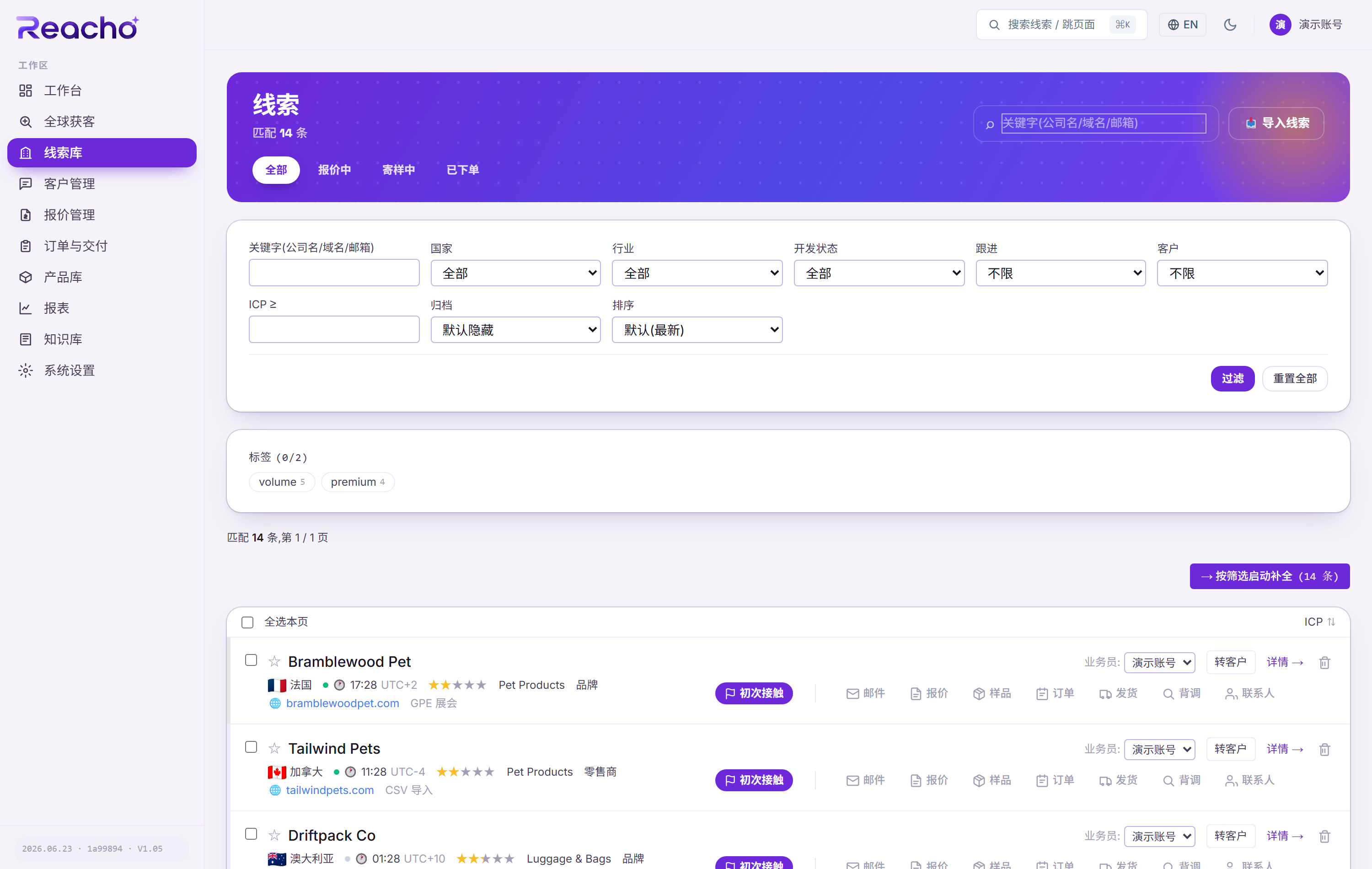
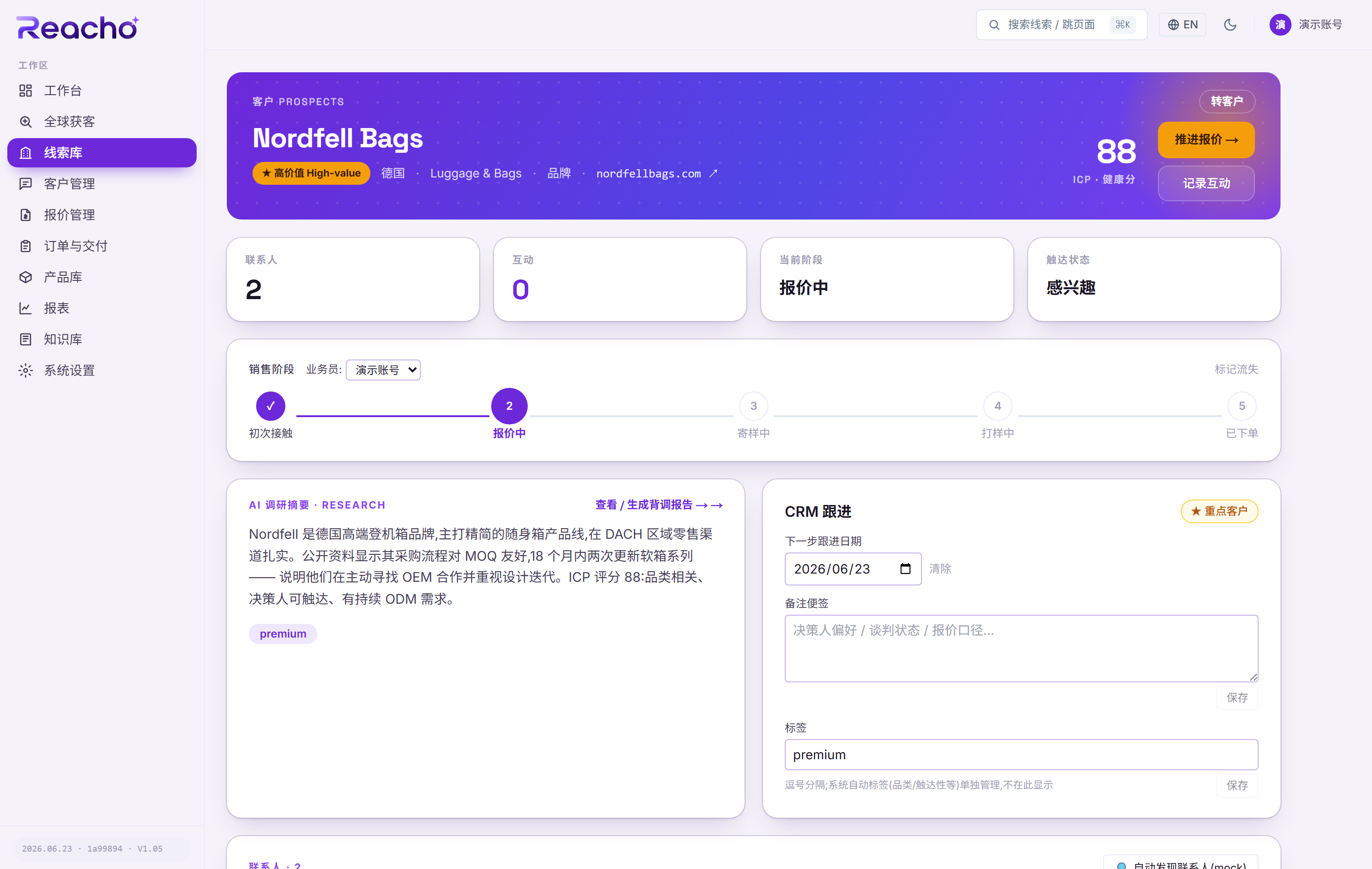
Bare leads become reachable profiles
Three chained steps: ICP score first, then for leads past the gate (>=40) find decision-maker contacts (emails verifiable) and run deep company research. Progress is persisted and resumes on failure. Need proof of trade? Pull customs import-export records from the detail page. How far to enrich and what is worth more spend stays your call.
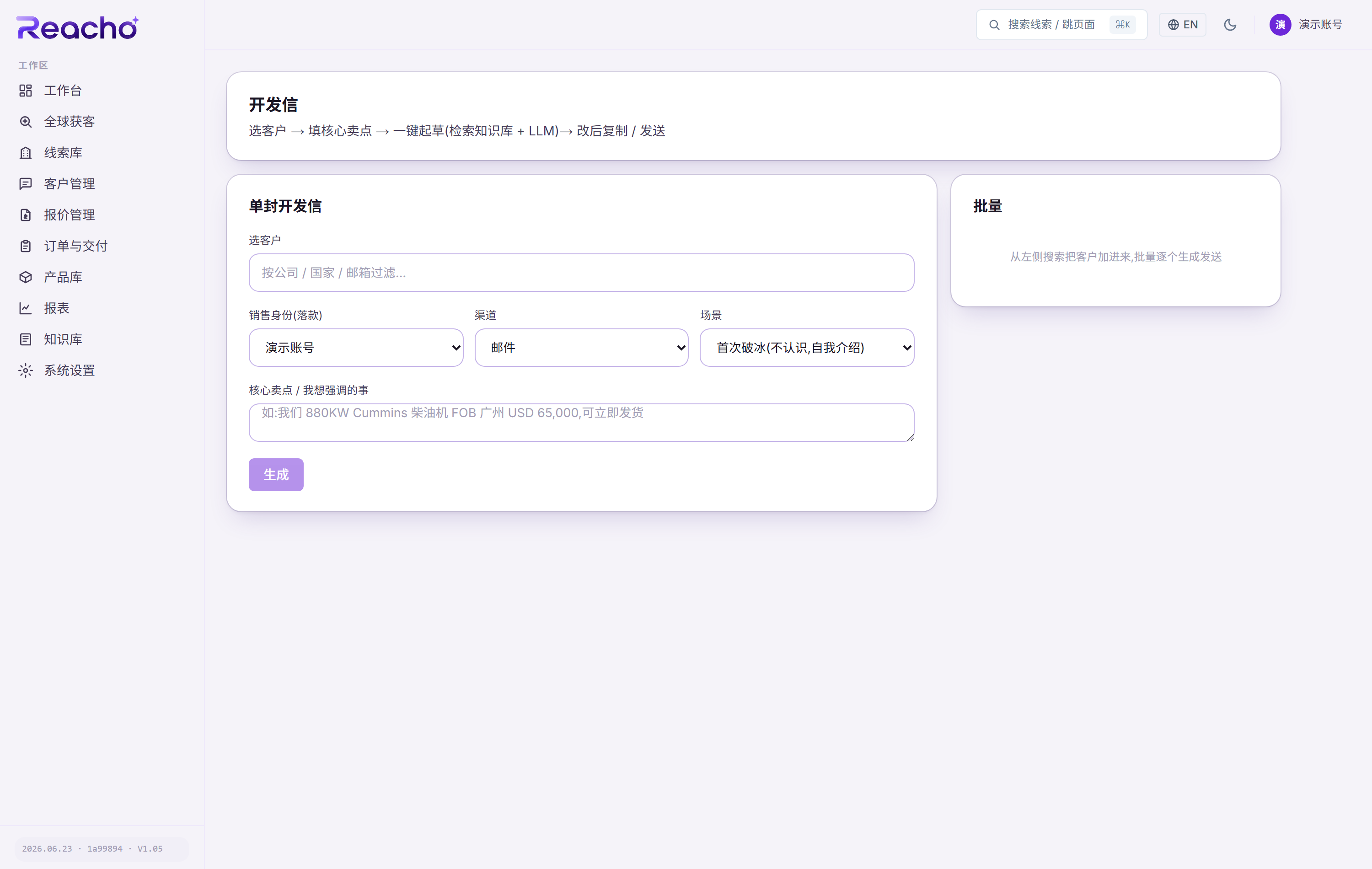
AI drafts, you review and edit, then it really sends
Give the scenario and key selling points; the draft uses RAG to pull from your catalog and knowledge base, so specs, MOQ and cases come from real material, multilingual, tuned per buyer. You review and edit, then send for real in one click (single or batch). Whether and how to send stays with you; the AI never decides for you.
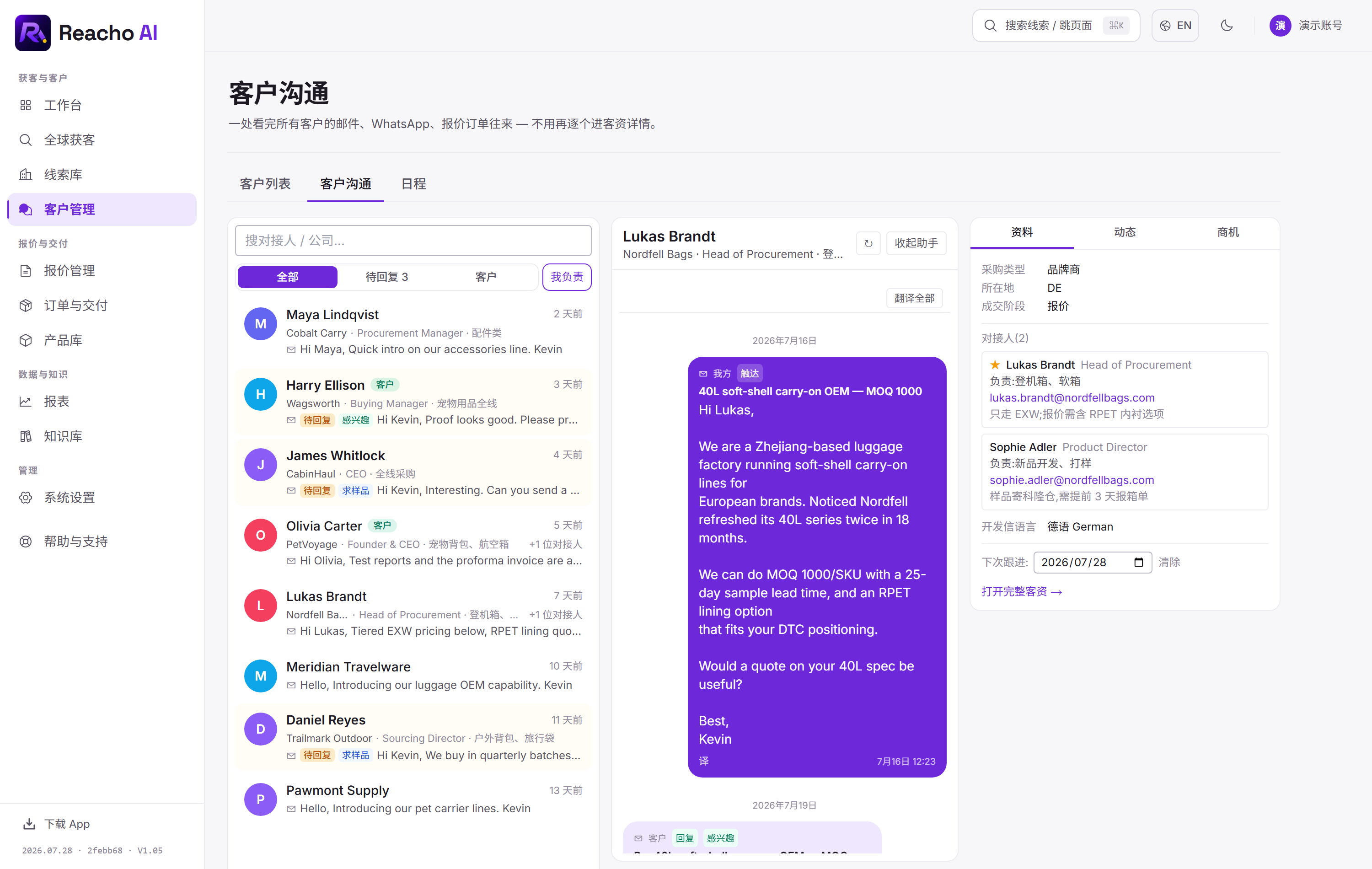
Replies sort themselves, customers managed contact-first
Replies are pulled from your own mailbox and auto-classified into 6 intents: interested, sample, rejected, out-of-office, referral, neutral. One Conversations hub shows every thread as chat bubbles, and a foreign-language message translates to Chinese per message or all at once (the original stays for comparison). Customers are managed contact-first: a buyer often has a different person per product line, so responsibilities and notes live on the person, with a by-company view one click away. Leads can also be filtered by the buyer local time, so you can see who is at their desk right now.
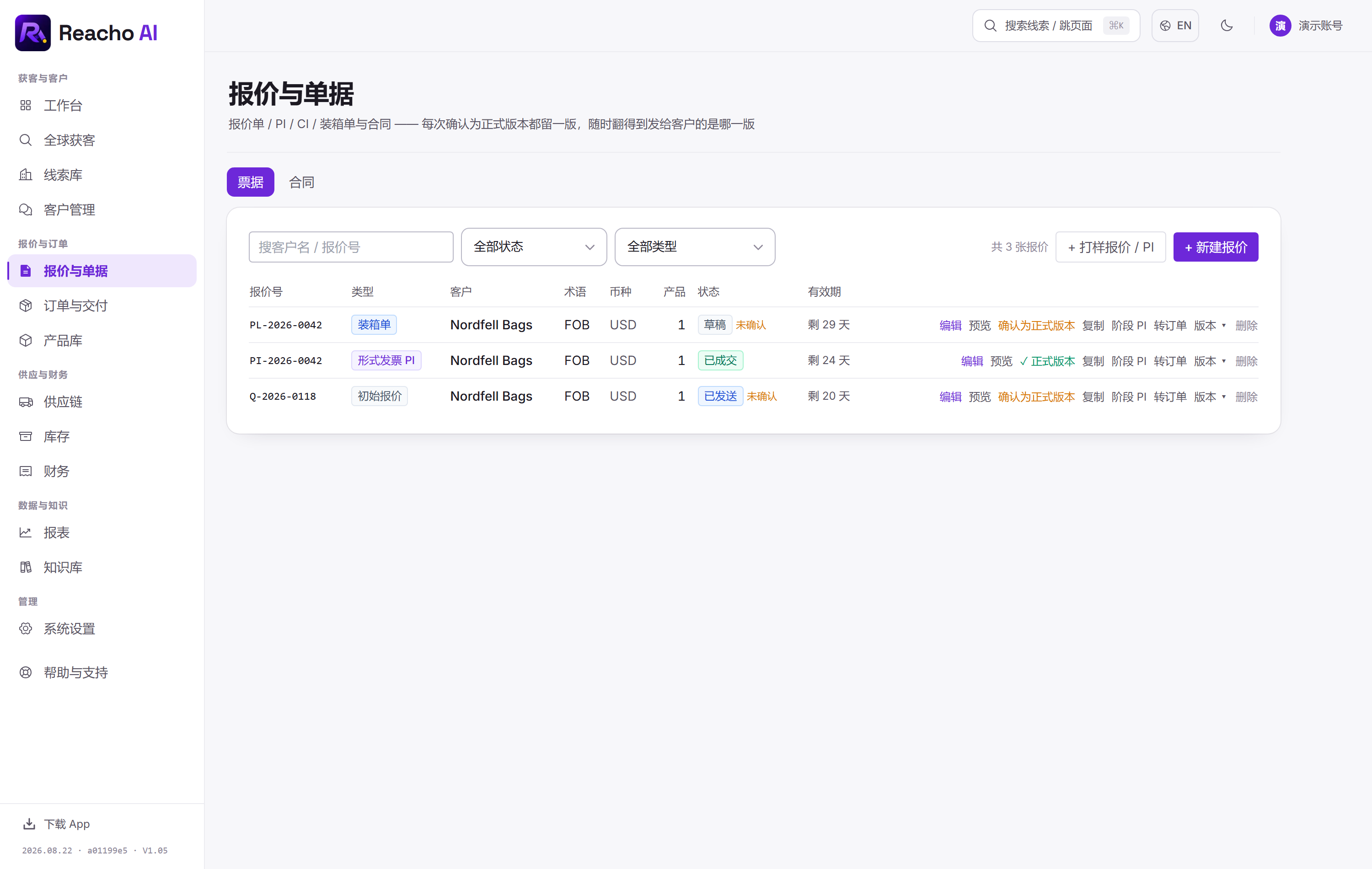
Wizard-style quoting, carried through to shipment
A four-step wizard builds the quote: the cost engine handles Incoterms EXW->DDP, tiered pricing and a live margin view, items pull from your catalog with images, and the PDF carries your own company letterhead (multiple billing entities supported). Then samples, e-signed contracts, orders and shipments carry it through, and a confirmed order writes the customer back to won, nothing scattered across spreadsheets.
Today's tasks up front, team and usage in plain sight
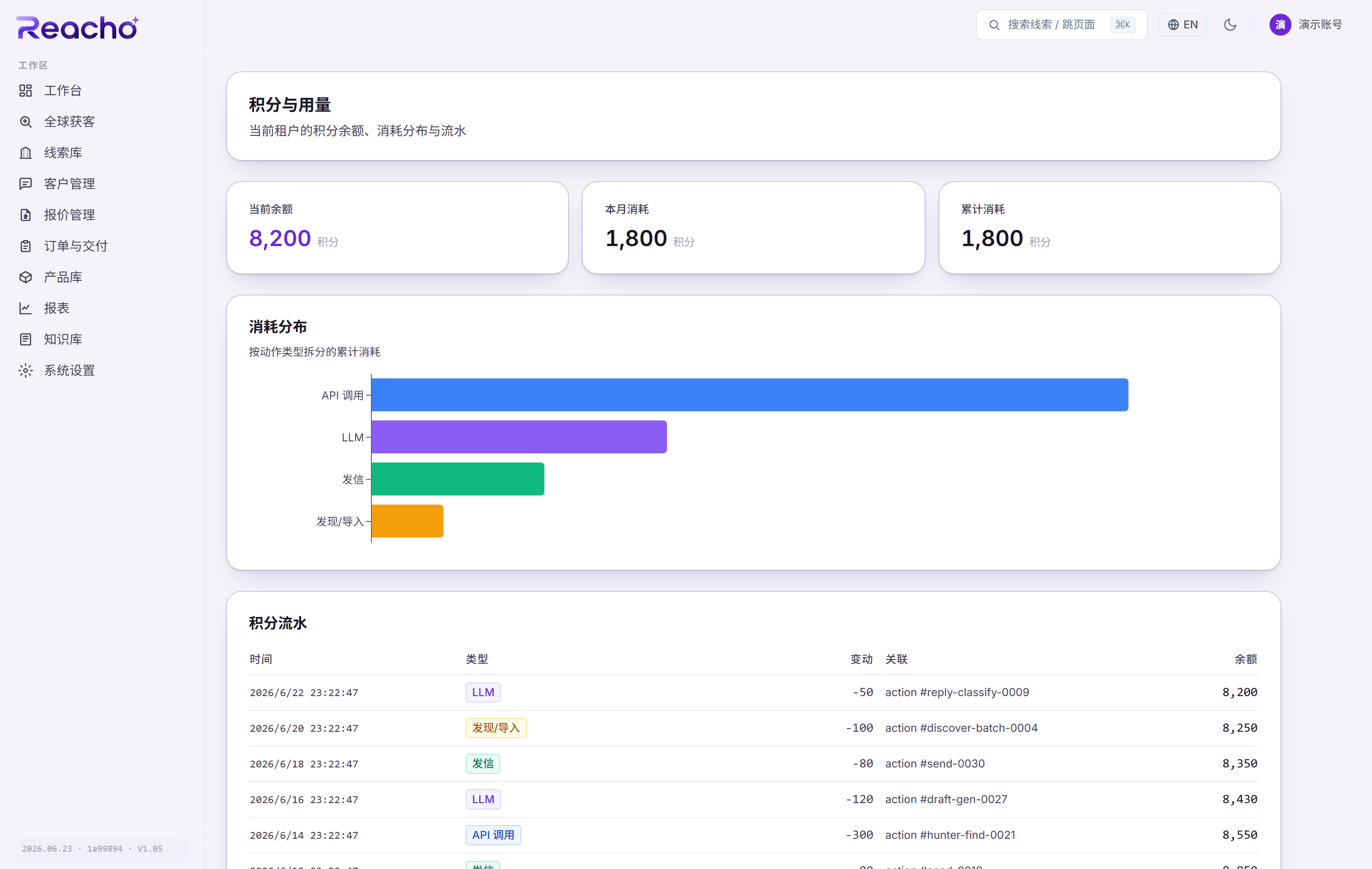
The home screen is your workbench: who to chase today and where each deal is stuck surface right up front. The catalog and knowledge base feed outreach and quotes via RAG, and reports roll up funnel conversion at each stage. Seats come by plan with email invites, teams are row-level isolated, scarce actions are metered by credit with a clear usage board, and an Android app (iOS coming soon) keeps you following up on the go.
What happens after the order also lives here
Purchase and subcontracting orders hang directly off the sales order, so the material spend lands on that order. Fabric, accessories and finished goods are tracked per location; received purchases post to stock in one click and issued materials roll up to the order. Expenses, invoices and monthly FX rates form a business ledger you can export for your accountant — a ledger, not a replacement for accounting software.
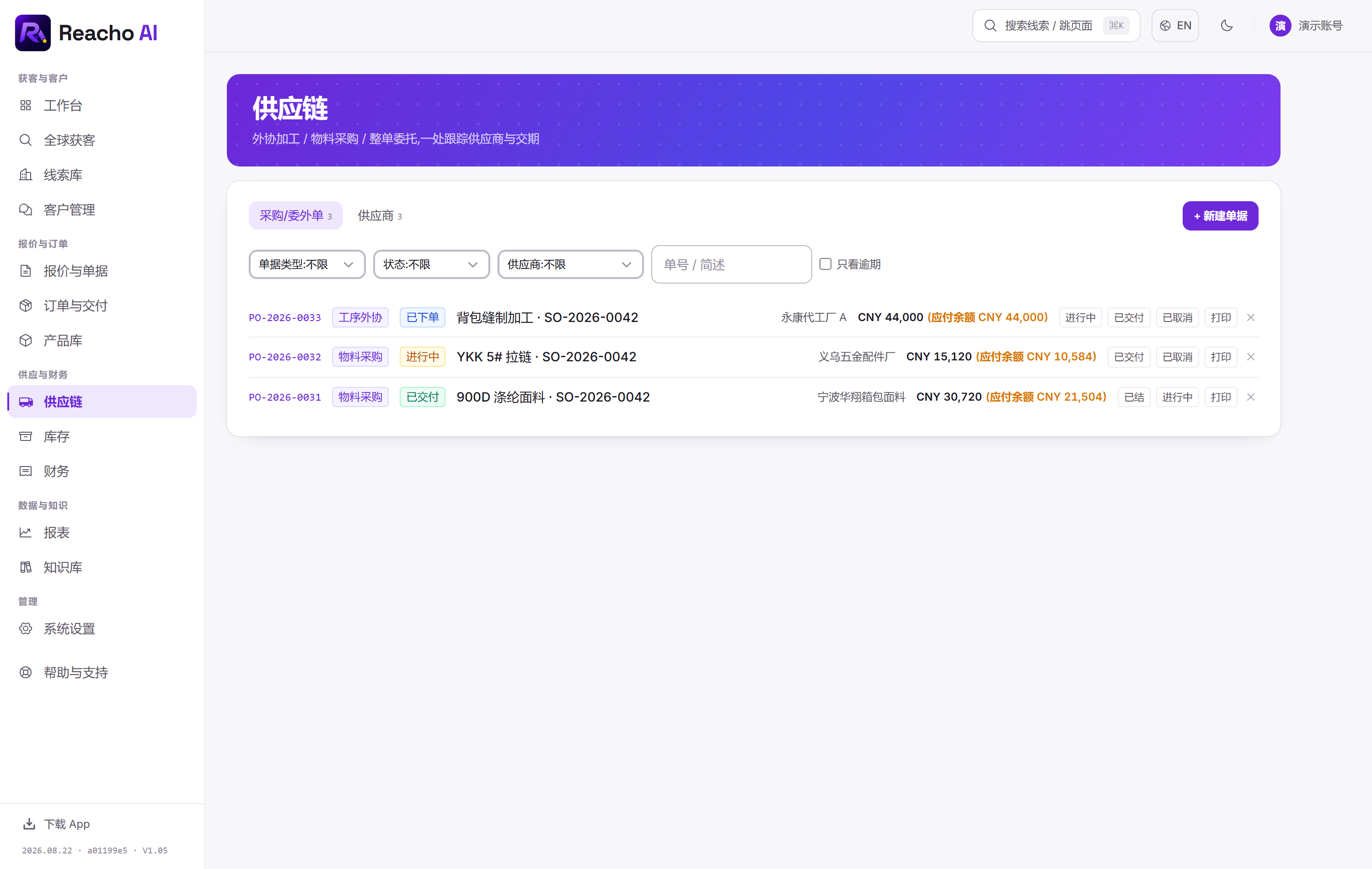
Three ledgers for after the order
Orders run through to shipment, stock tracks materials and finished goods in and out, and finance rolls expenses, invoices and FX into a monthly statement — all hanging off the same order instead of separate spreadsheets.
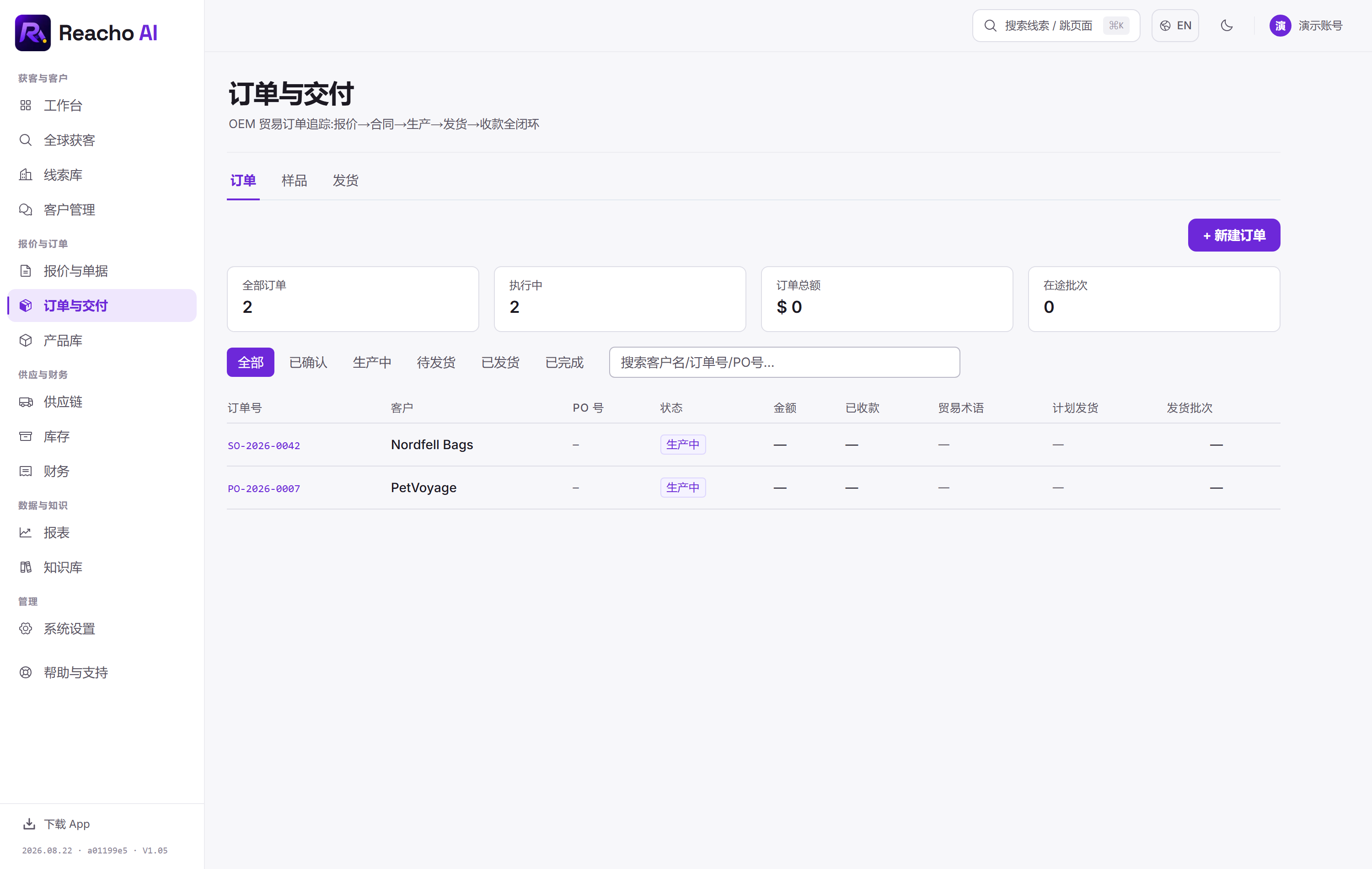
Orders & delivery
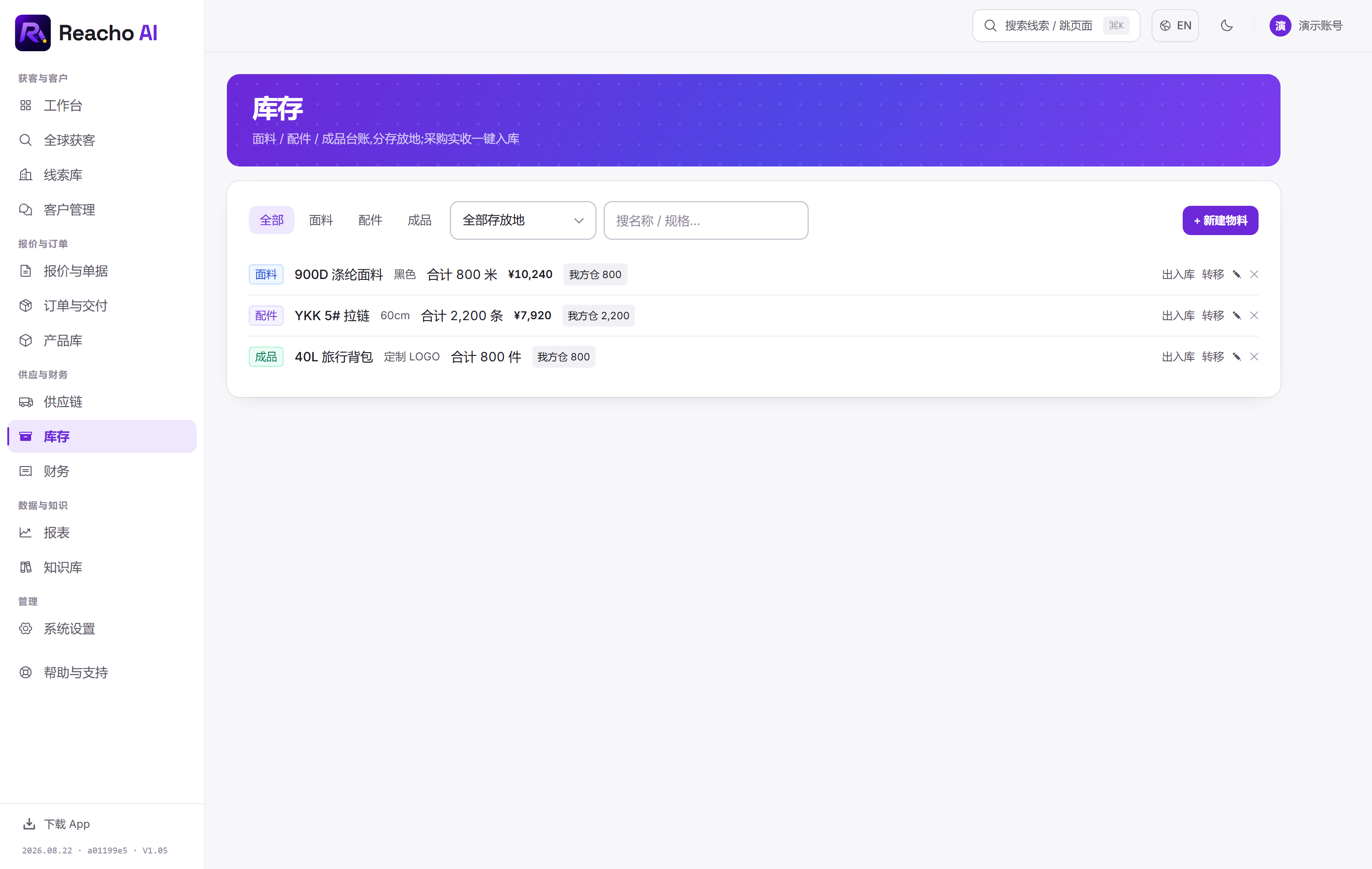
Stock ledger
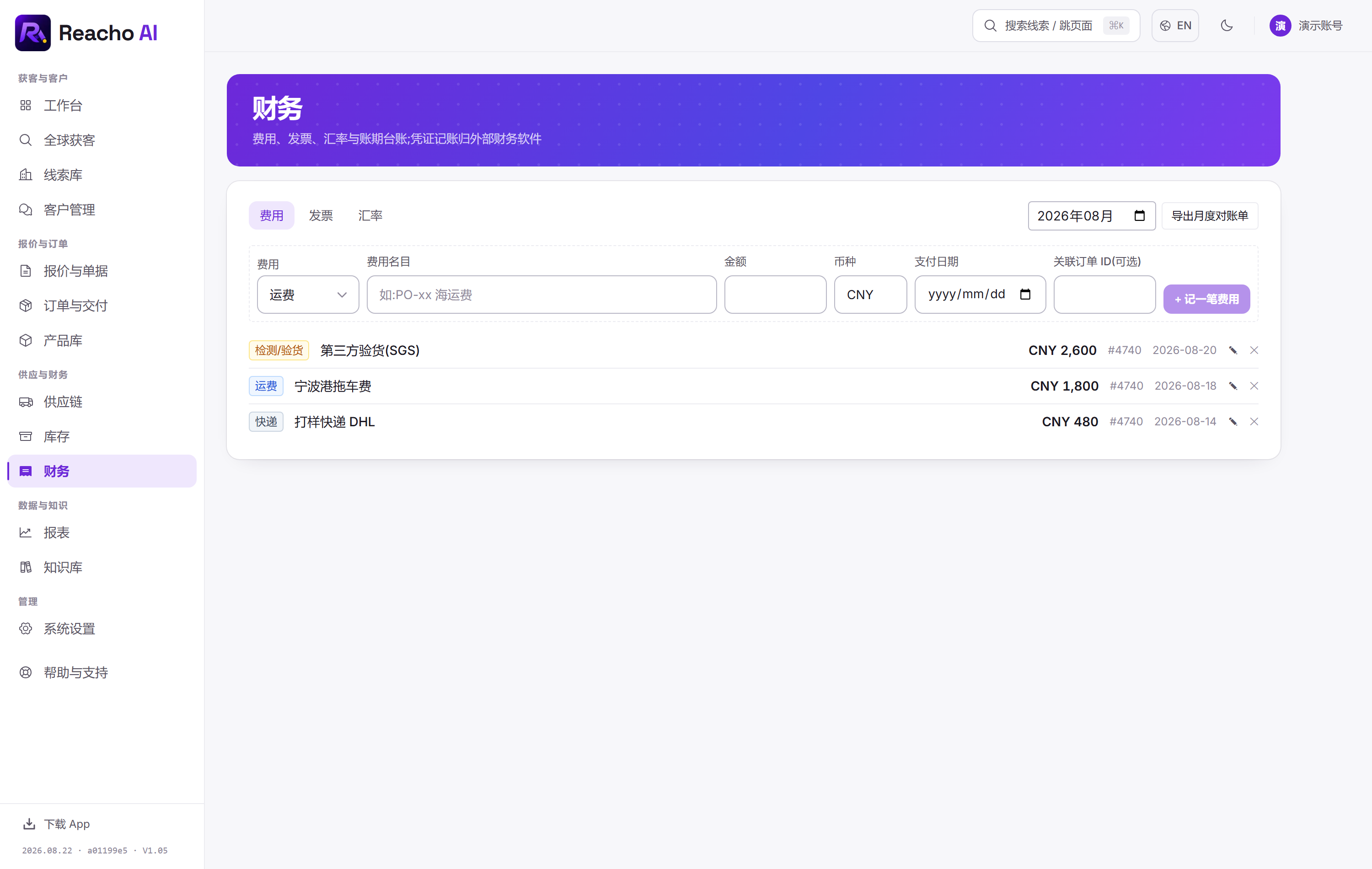
Finance ledger
Ready to run your own leads
Check the registration entry for access options; trial credits are issued after email verification.